Known Bugs
Unable to Login into the launcher
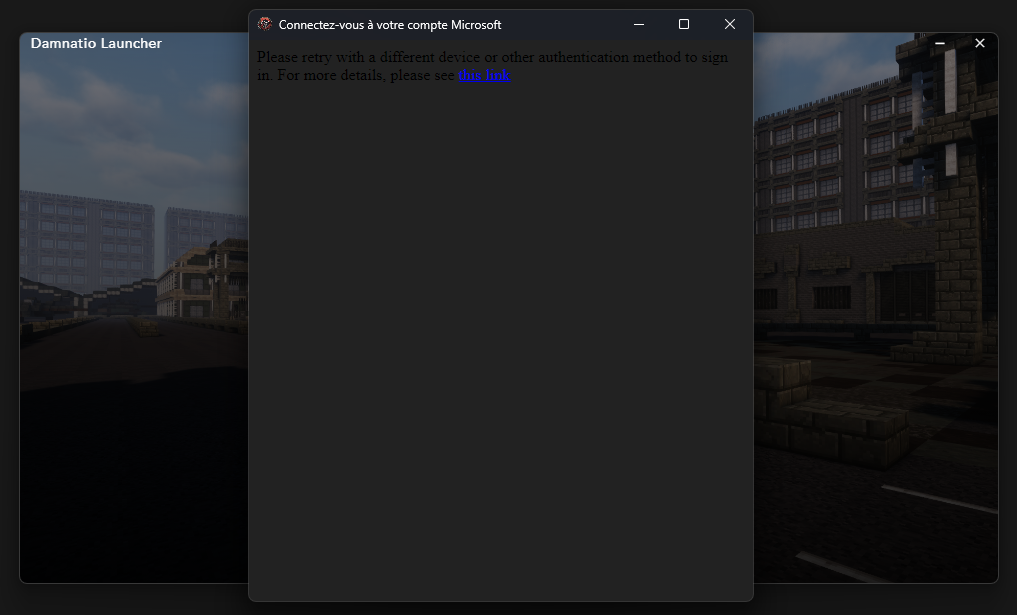
Why this happens ?
Microsoft uses a risk-based authentication system.
In some cases, the network IP address or environment used by the launcher is flagged as high risk by Microsoft’s security system.
When this happens, Microsoft silently blocks the login request before authentication completes.
This is not caused by the launcher itself, nor by incorrect credentials.
Common triggers include:
-
Shared ISP IP addresses (CGNAT)
-
Recently flagged IP ranges
-
Login attempts without Microsoft Authenticator
-
Embedded browsers / custom OAuth flows (common in game launchers)
How to resolve it
Users can usually sign in successfully by using one of the following:
✅ Option 1 — Use mobile data once (recommended)
-
Connect to mobile data (phone hotspot or cellular network)
-
Launch the launcher and sign in
-
Once logged in, you can return to your normal connection
✅ Option 2 — Use a VPN for login
-
Enable a VPN
-
Log in successfully
-
Disable the VPN after login
✅ Option 3 — Add Microsoft Authenticator
-
Log in using a working device or network
-
Go to Microsoft Account → Security
-
Add Microsoft Authenticator as a sign-in method
-
Retry login from the launcher
This often prevents the issue from happening again.
✅ Option 4 — Try a different network
-
Another Wi-Fi network
-
A hotspot
-
Public or work network
Unable to Join: Already Connecting

Why this happens ?
For security and stability reasons, the server enforces a short connection cooldown per player UUID.
When a player starts connecting, their UUID is temporarily registered.
If another connection attempt occurs within 15 seconds, the server assumes it may be:
-
a duplicate login attempt
-
a stuck / half-open connection
-
a rapid reconnect caused by network issues
-
an automated or abusive reconnect loop
To prevent login spam and connection flooding, the server rejects the new attempt until the cooldown expires.
This behavior is intentional and server-side, not a client or launcher bug.
How to resolve it
✅ Wait 15 seconds before reconnecting
✅ Avoid joining/quiting multiple times
After the cooldown expires, login will work normally.
An other bug ?
If you have a bug that is not listed or described here you can contact us by ticket on our discord, into the 📜・tickets channel
and clicking the "Open Ticket" button and filling the required field.